APP
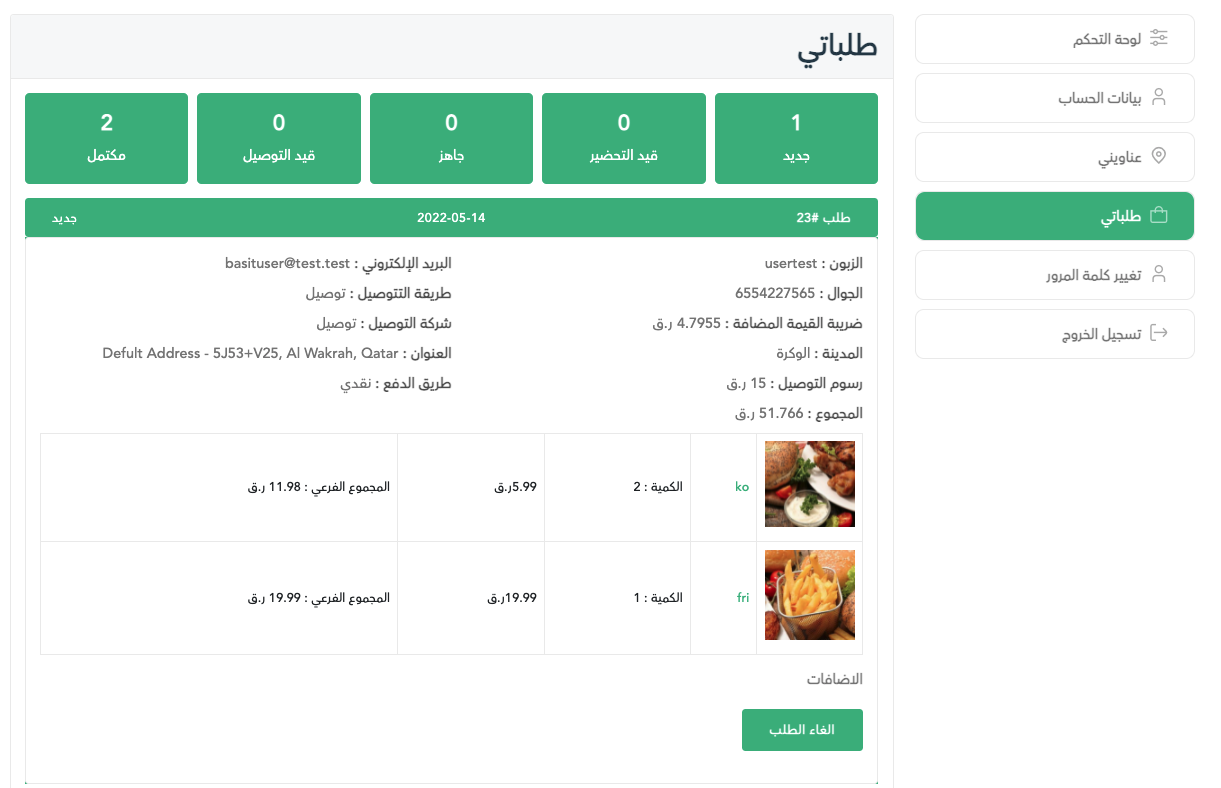
After completing the payment process for your order, you can view the order by pressing on my account icon in the bottom of the page, then select My Orders.
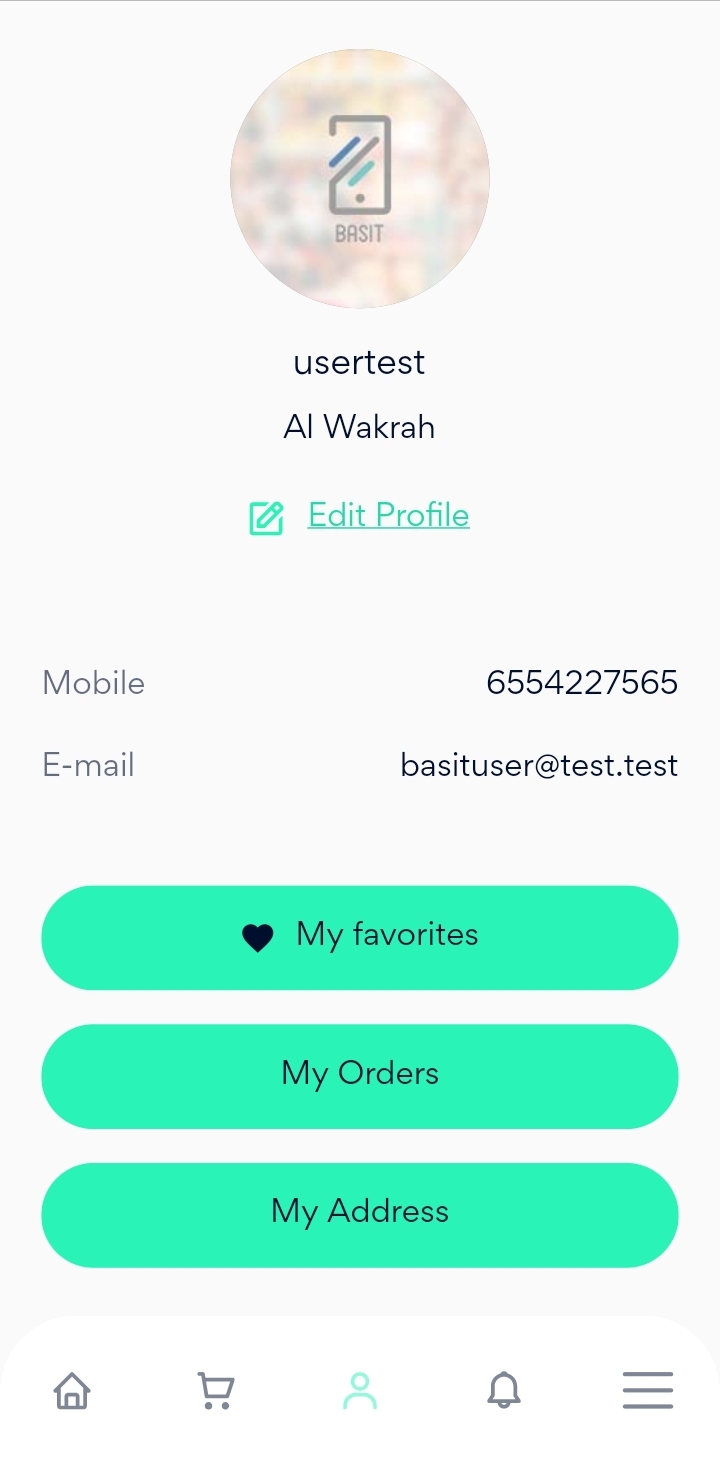
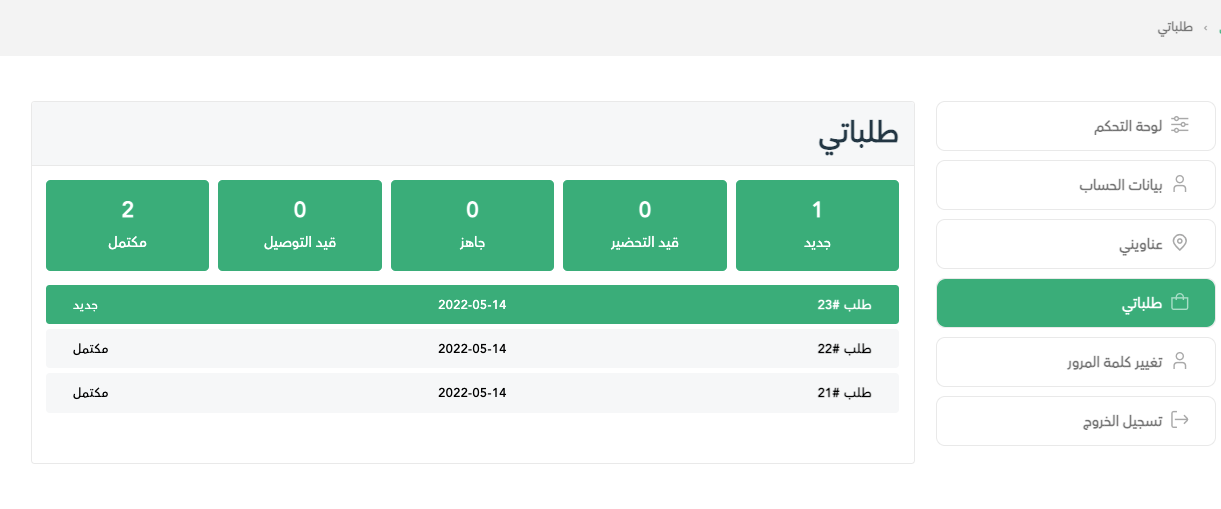
Now, it can be seen that all your previous and current orders are listed in the page.
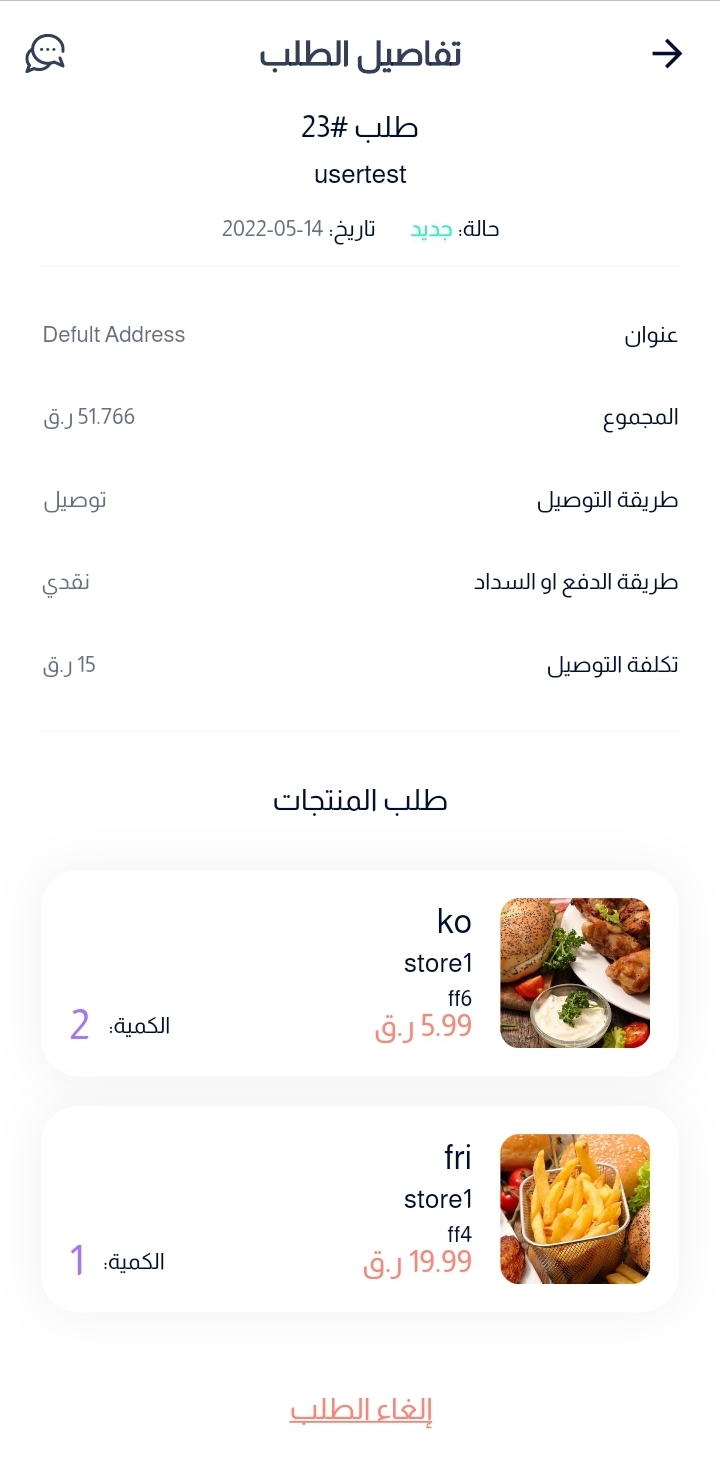
In order to cancel one of your current orders, the status of the order should be New.
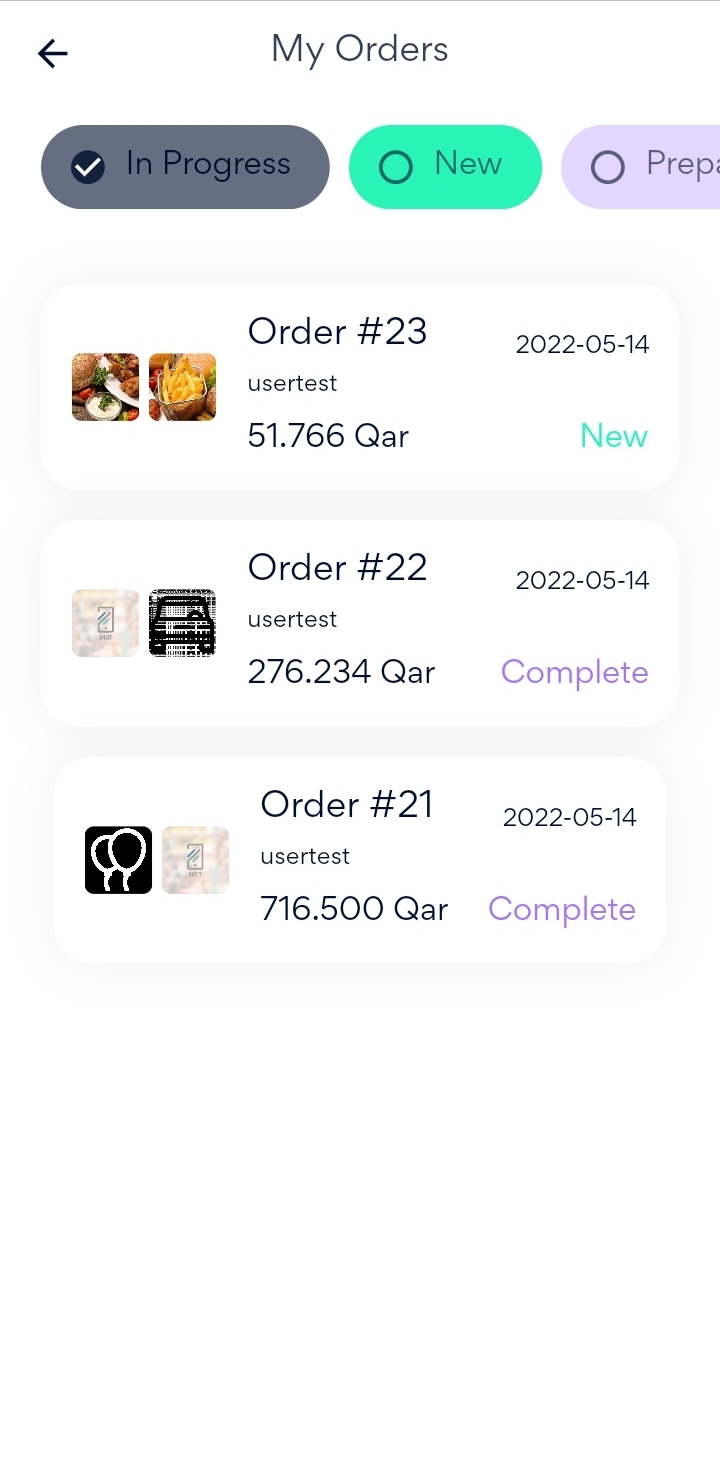
Now, Select the order that you want to cancel, finally press on Cancel Order button in the bottom of the page and your order will be cancelled successfully.
Website
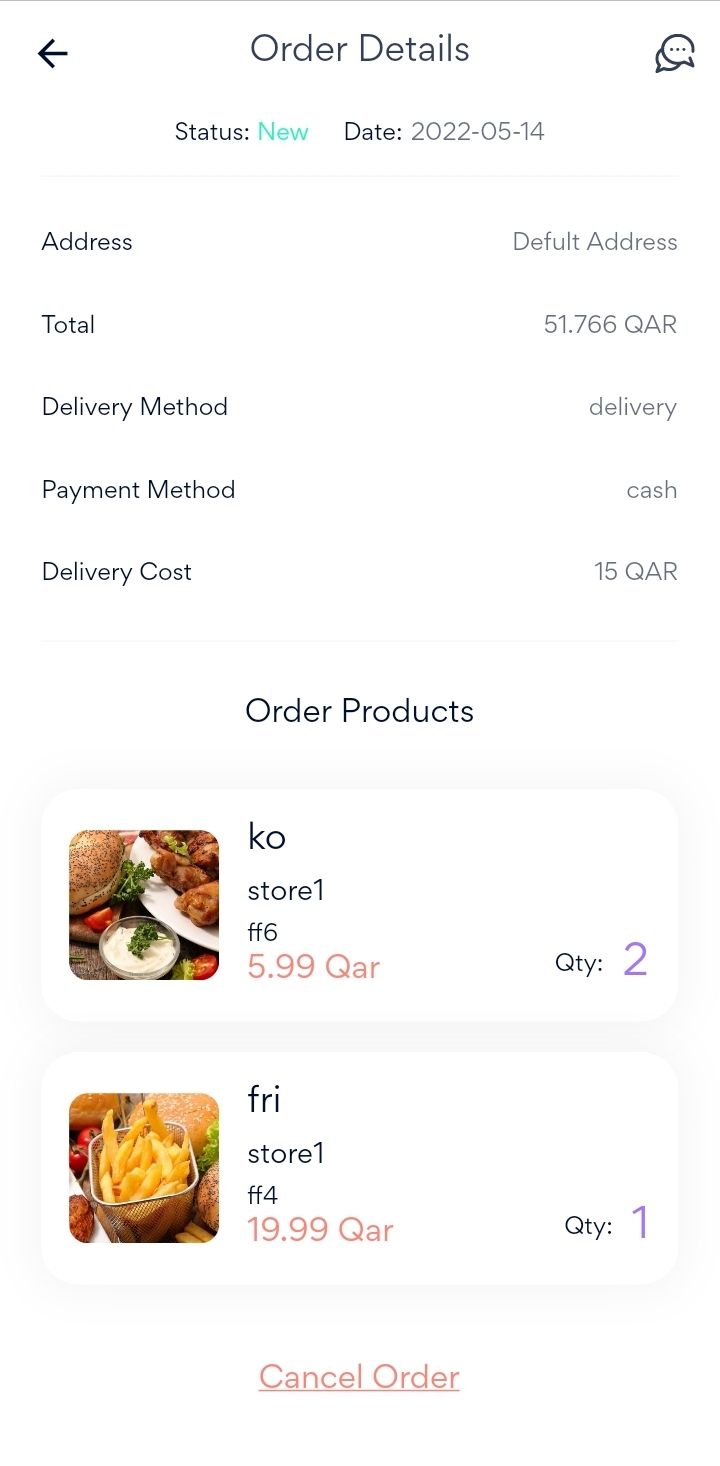
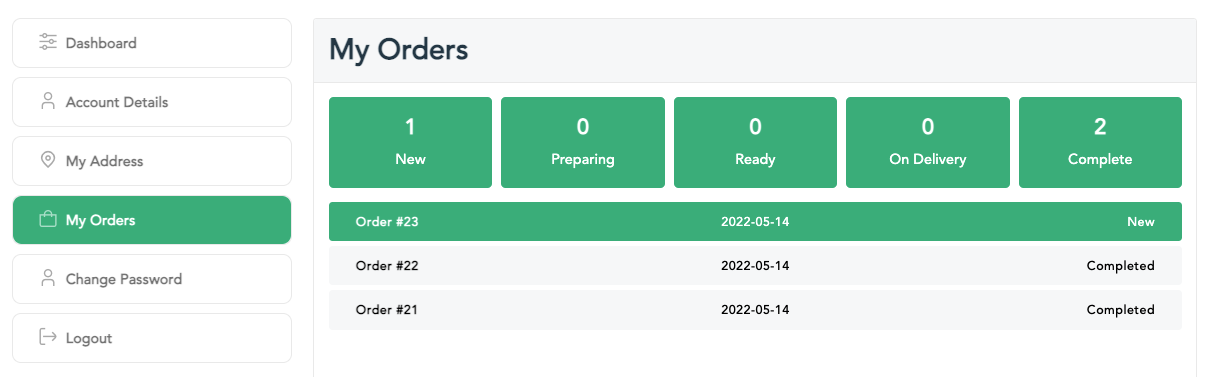
After completing the payment process for your order, you can view the order by pressing on my account icon in the top of the page, then select My Orders.
Now, it can be seen that all your previous and current orders are listed in the page.
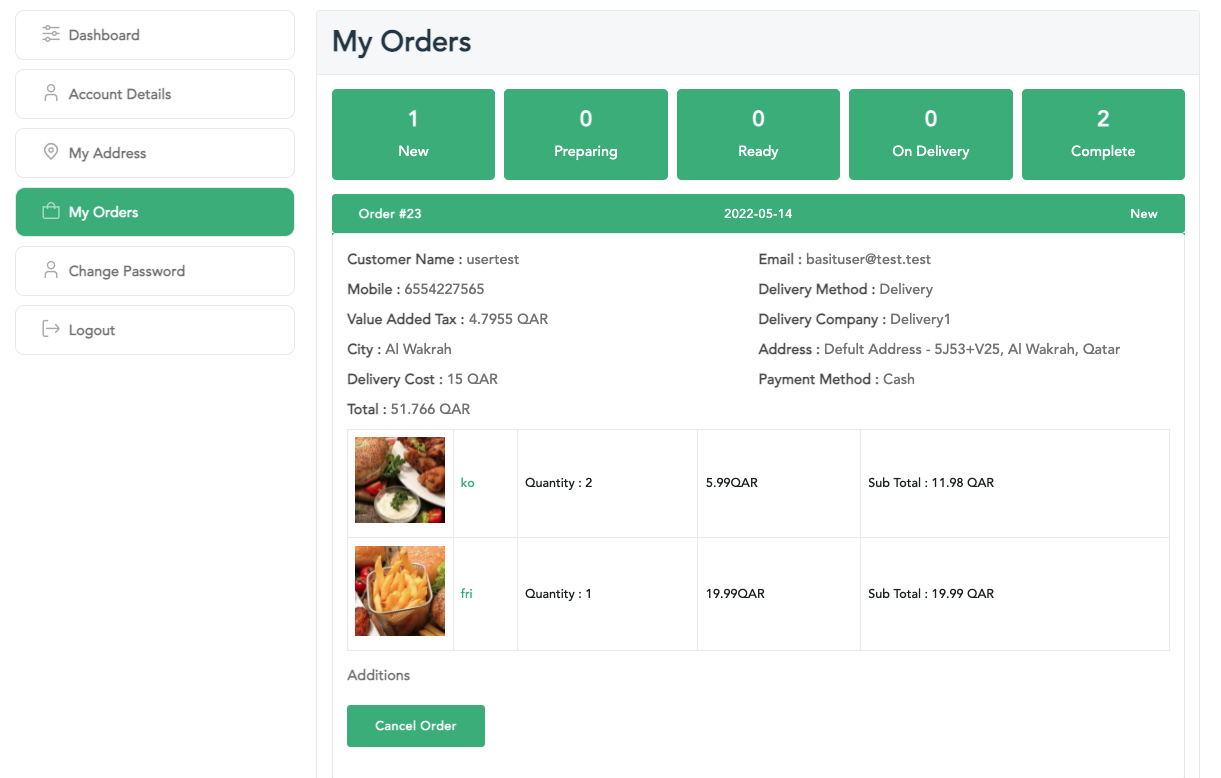
In order to cancel one of your current orders, the status of the order should be New.
Now, Select the order that you want to cancel, finally press on Cancel Order button and your order will be cancelled successfully.
:التطبيق
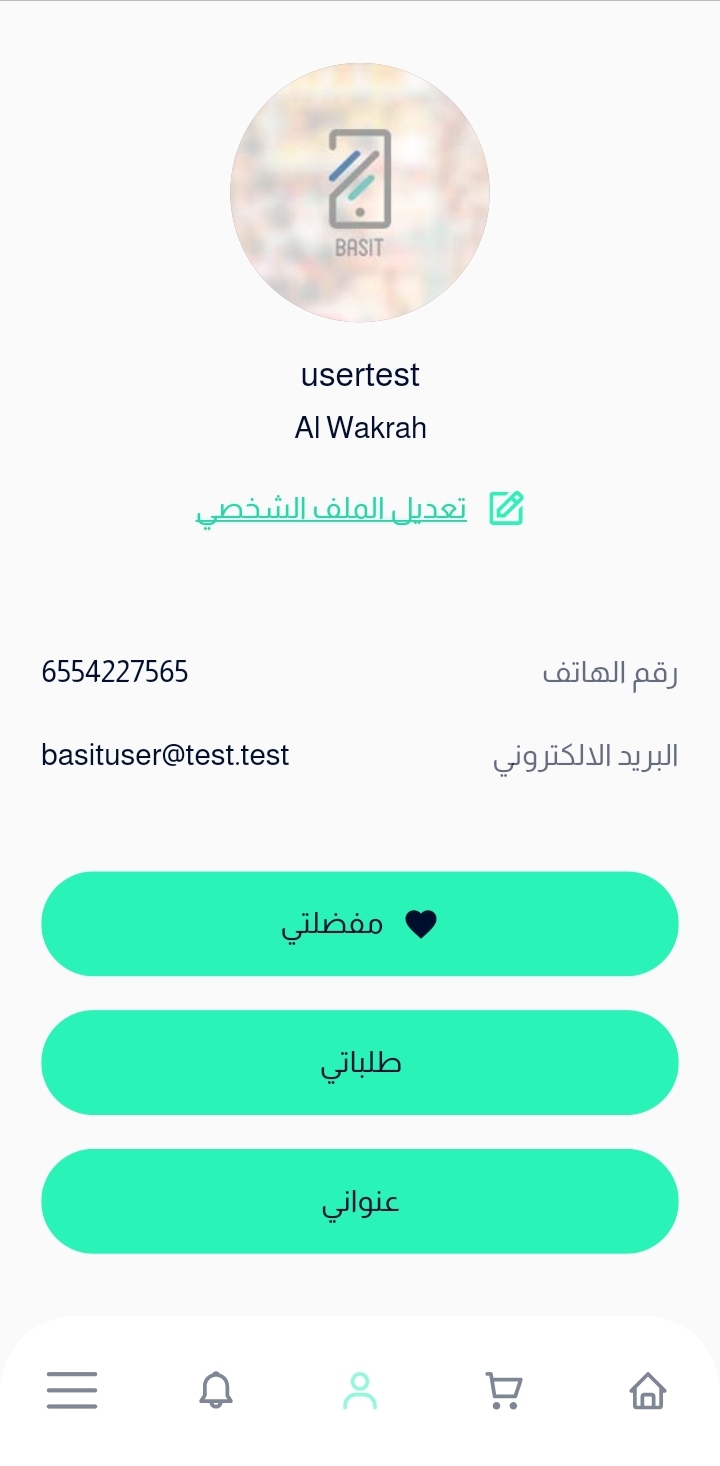
بعد الانتهاء من عملية الدفع واكتمال الطلب، يمكنك استعرض الطلبات الخاصة بك عن طريق الضغط علي ايقونة الحساب الموجودة أسفل الصفحة ثم اختيار طلباتي
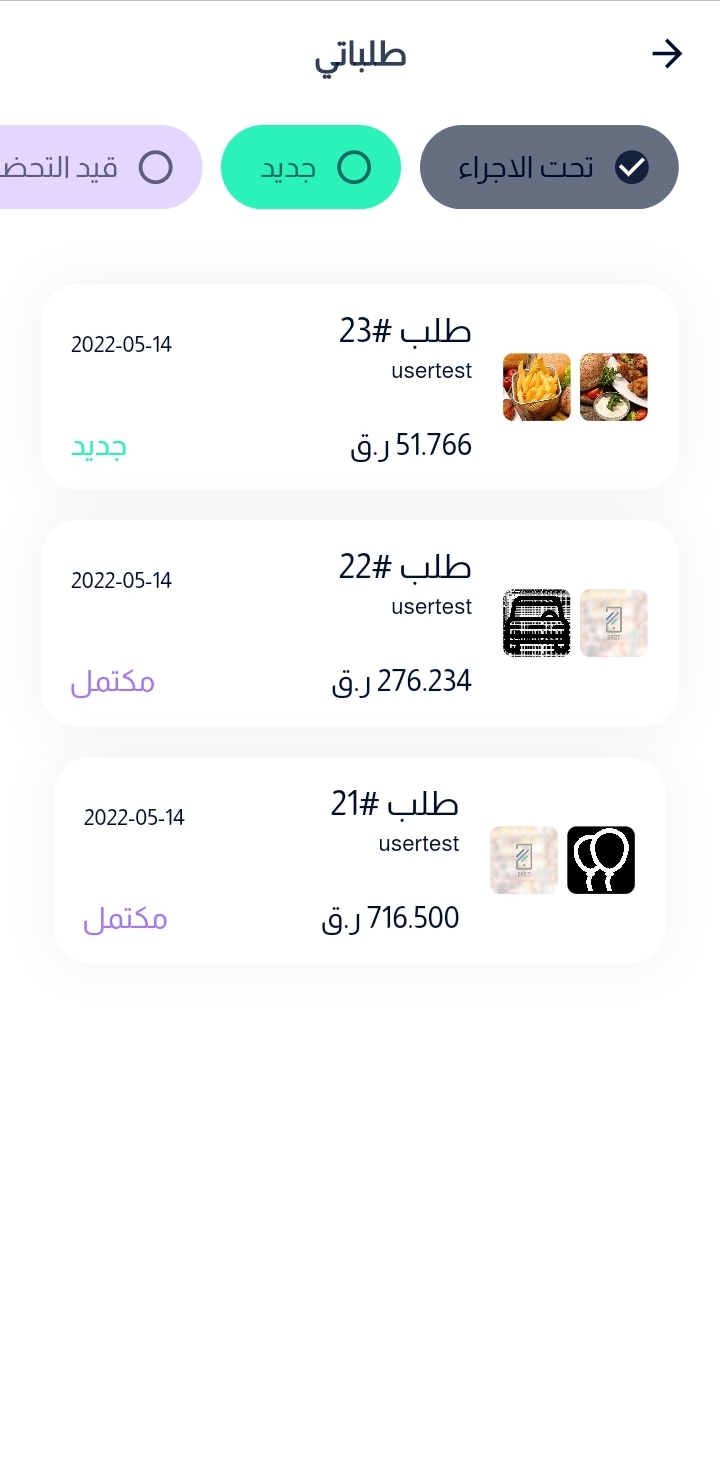
سوف تظهر لك علي الشاشة جميع طلباتك الحالية وطلباتك السابقة و أرقام كل طلب منهم وحالته، ولكي تتمكن من الغاء طلب يجب أن تكون حالة الطلب جديد ولا يمكن الغاء الطلب إذا كانت حالته غير ذلك
الآن، قم باختيار الطلب الذي ترغب في إلغاؤه ثم بعدها، قم بالضغط علي زر إلغاء الطلب الموجود أسفل الصفحة وسف يتم إلغاء طلبك بنجاح
:الموقع
بعد الانتهاء من عملية الدفع واكتمال الطلب، يمكنك استعرض الطلبات الخاصة بك عن طريق الضغط علي ايقونة الحساب الموجودة أعلي الصفحة ثم اختيار طلباتي
سوف تظهر لك علي الشاشة جميع طلباتك الحالية وطلباتك السابقة و أرقام كل طلب منهم وحالته، ولكي تتمكن من الغاء طلب يجب أن تكون حالة الطلب جديد ولا يمكن الغاء الطلب إذا كانت حالته غير ذلك
الآن، قم باختيار الطلب الذي ترغب في إلغاؤه ثم بعدها، قم بالضغط علي زر إلغاء الطلب الموجود أسفل الصفحة وسف يتم إلغاء طلبك بنجاح