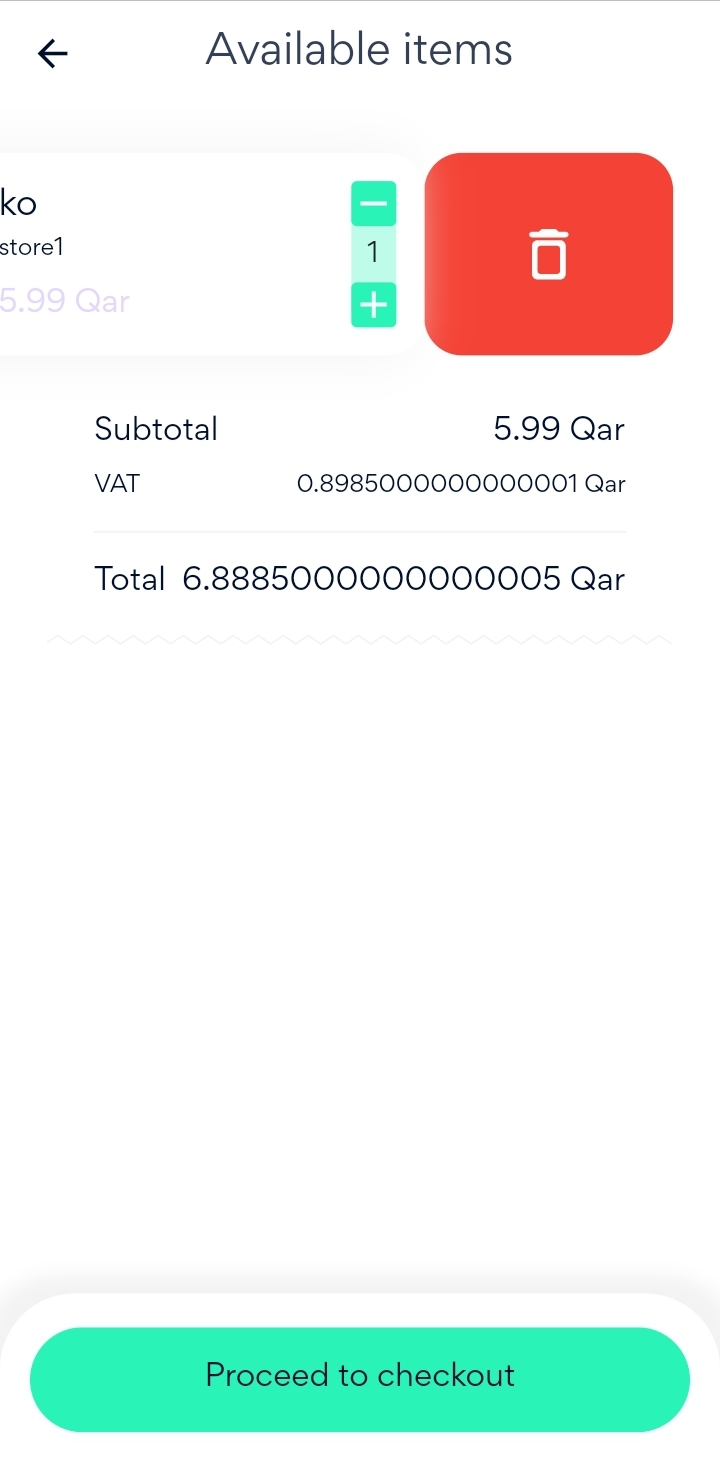
APP
After Adding product to cart, you can remove it by:
Open the cart, select the required product and swipe to the left until trash icon appears

After that press on the trash icon and the product will be removed successfully.
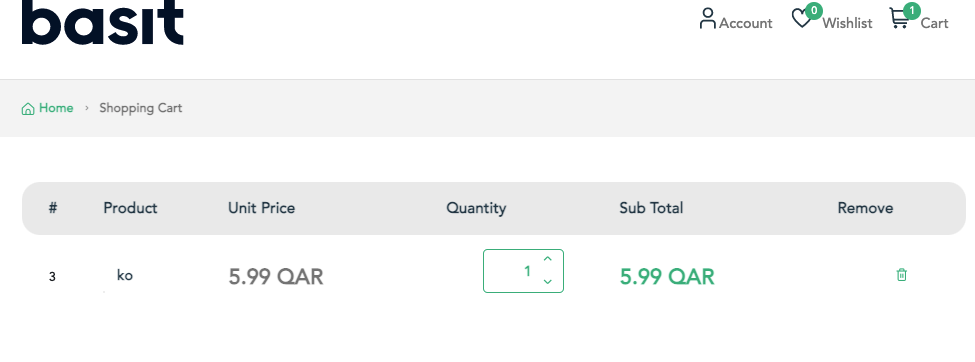
Website
After Adding product to cart, you can remove it by:
Open the cart, select the required product, then press on the trash icon and the product will be removed
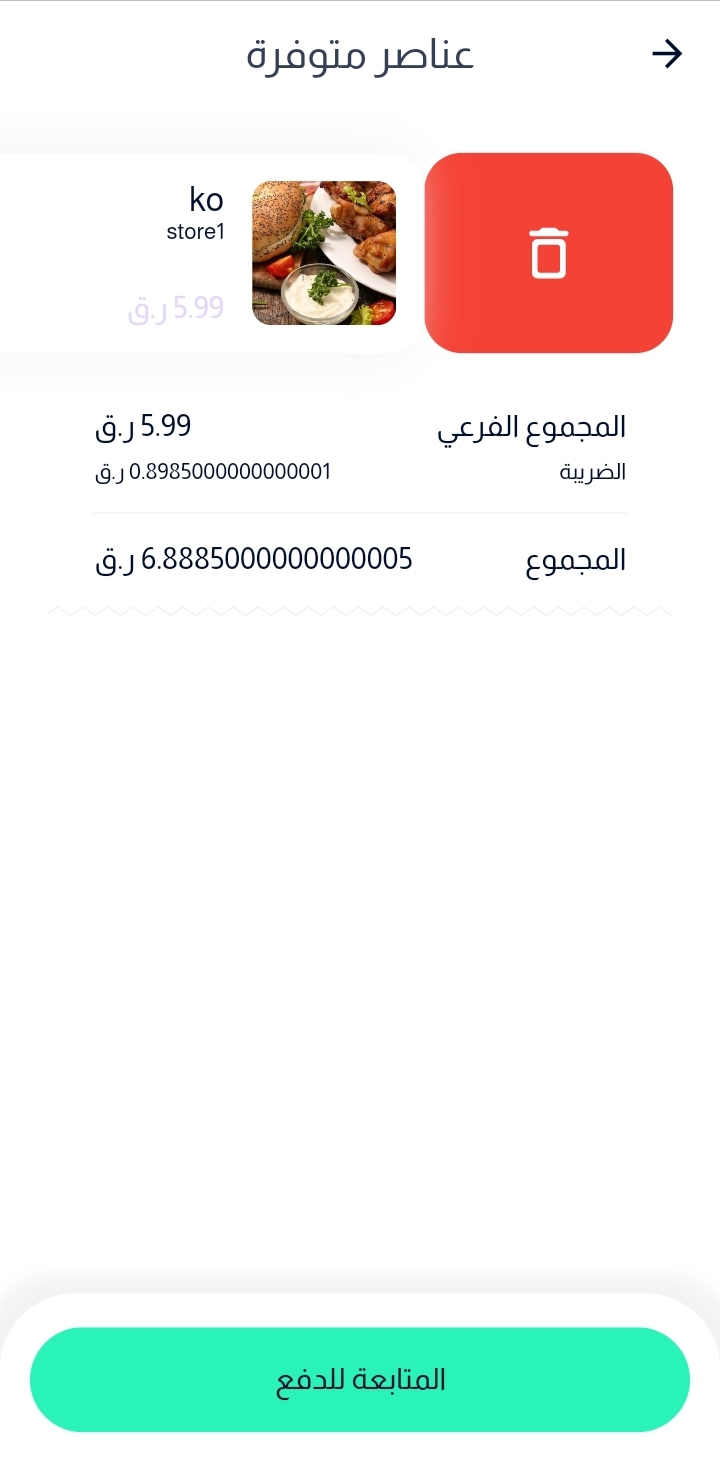
:التطبيق
يمكنك حذف منتج من السلة عن طريق
التوجه إلى السلة ثم قم السحب علي المنتج المراد حذفه حتى تظهر ايقونة الحذف
بعد ذلك، قم بالضغط علي ايقونة الحذف وسوف يتم حذف المنتج من السلة
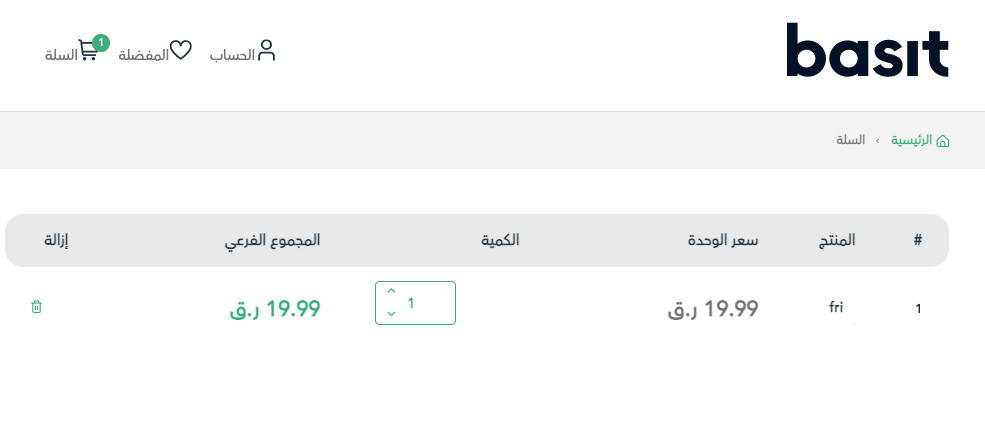
:الموقع
يمكنك حذف منتج من السلة عن طريق
التوجه إلى السلة ثم قم بالضغط علي ايقونة الإزالة الموجودة وسوف يتم حذف المنتج بعدها